
Announcements arrive in chat threads, emails and hallway conversations — never in one place.
ChurchlyMedia Studio
This week's announcements, designed, voiced and ready
Weekly church media, without the weekly scramble.
Type one line per event. Media Studio designs the flyers, writes and voices the announcements and assembles the weekly video — for your church to approve and your team to share.
No card required. Your first weekly media pack is on us. Already on Sermon Studio? Media Studio is 20% lower while your plan is active.
Dates, names and prices stay exactly as you typed them
Nothing shares without your yes
Voices only with the speaker's consent
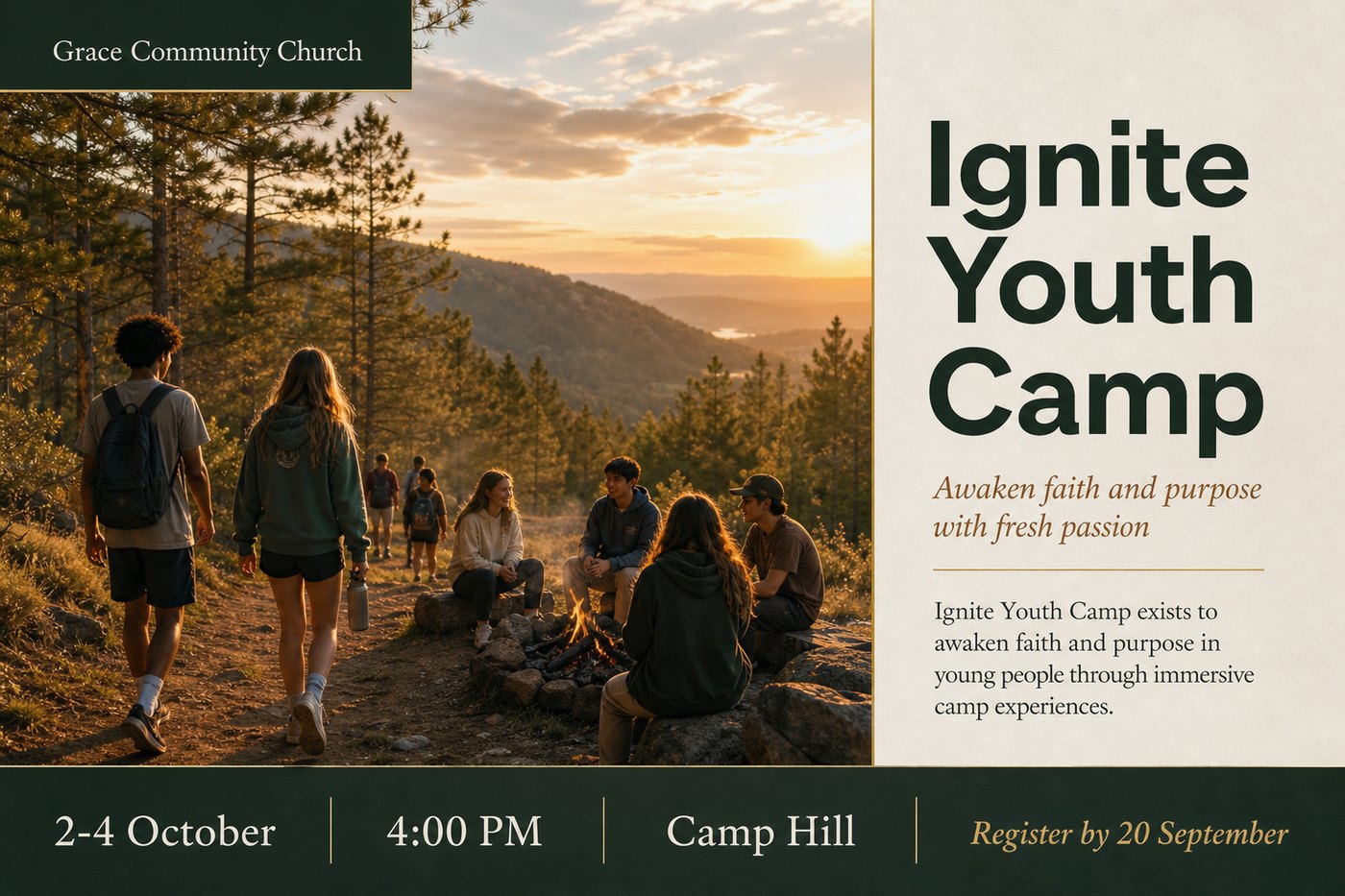
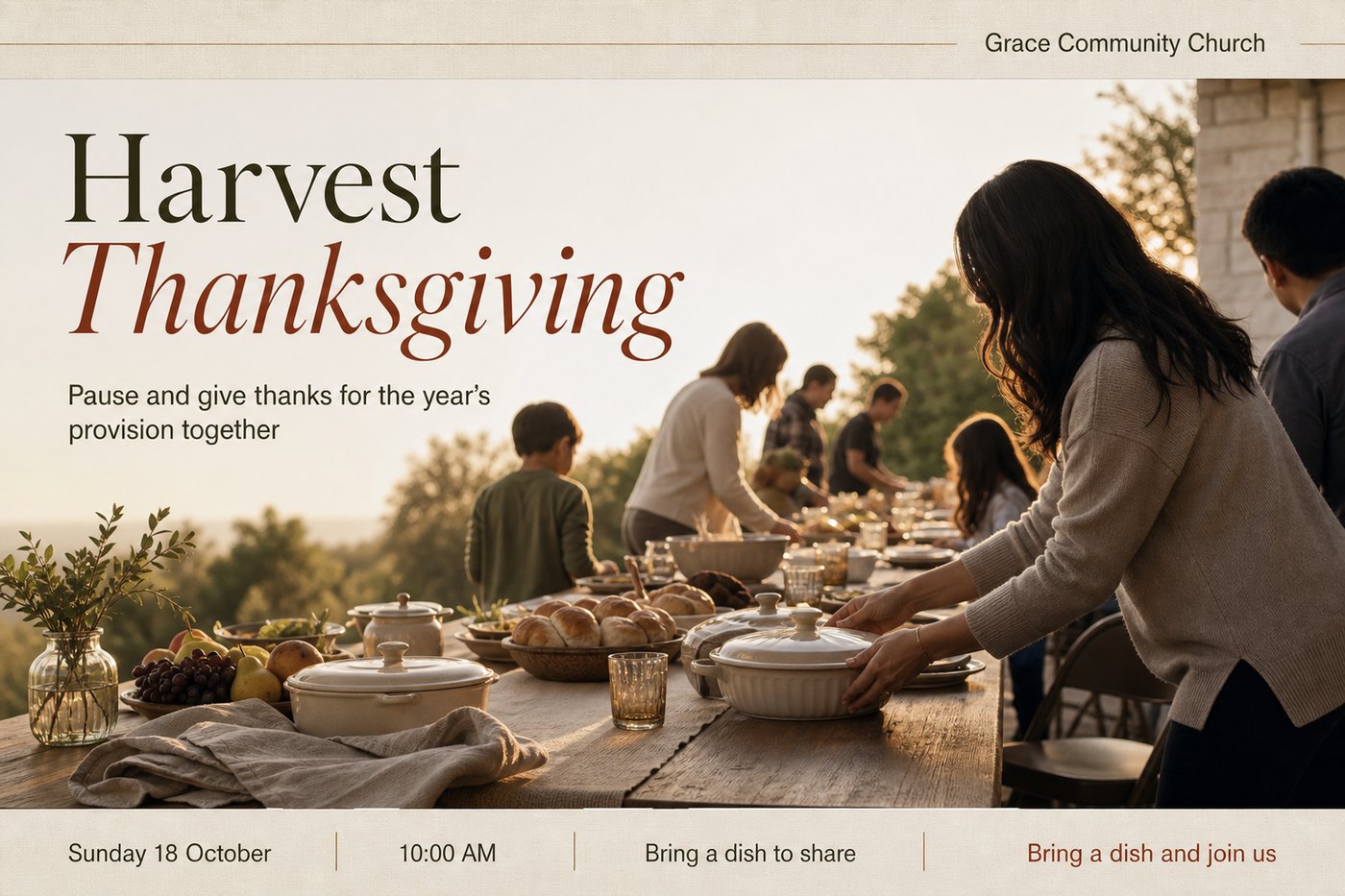
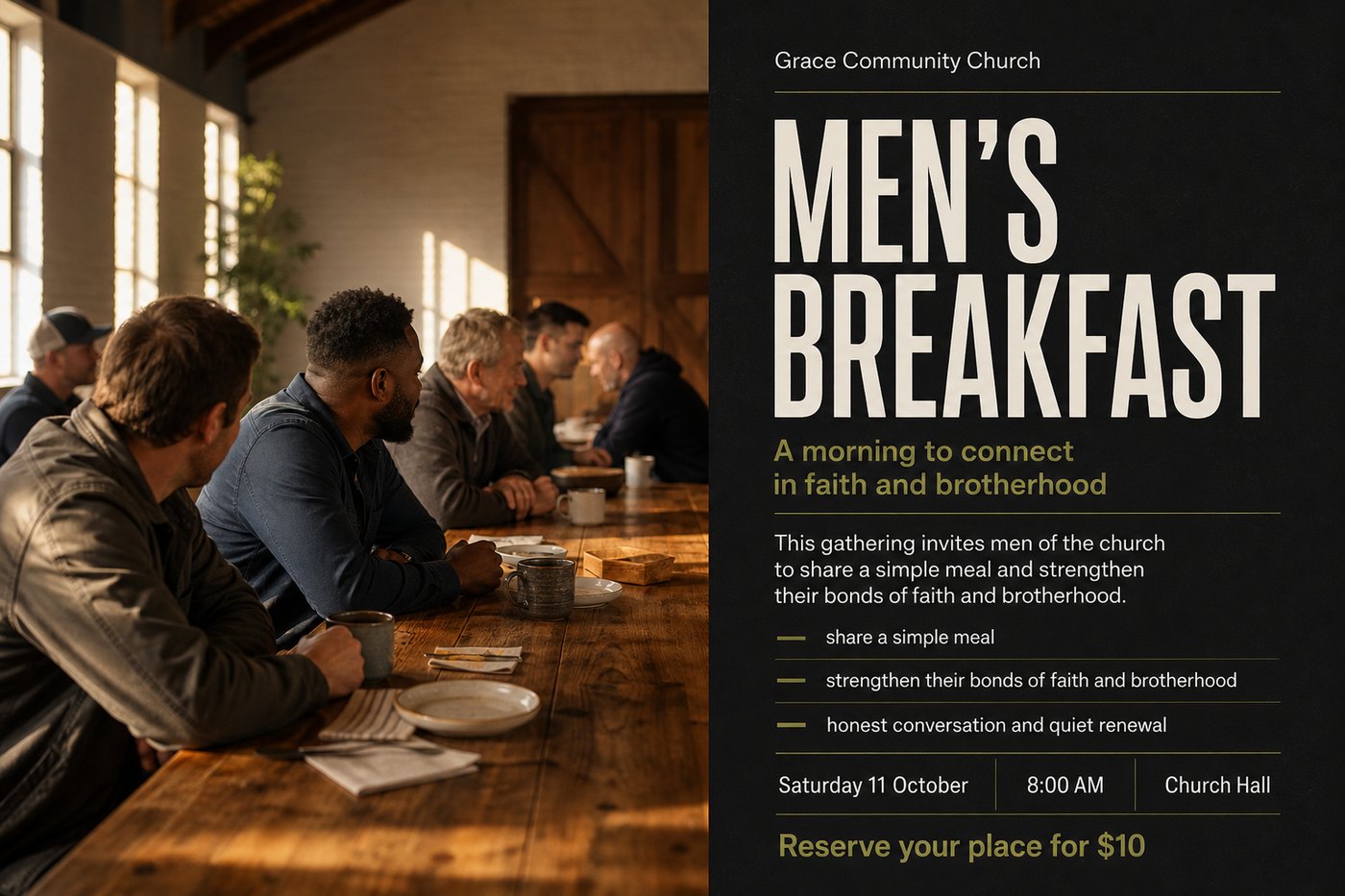
✓ 3 of 3 confirmed protected
♪ Announcement · voiced
“Ignite Youth Camp is back — three days at Camp Hill, the second to the fourth of October. Register by the twentieth of September…”
Voice: Pastor Sam Carter, Grace Community Church0:42
▶ Weekly video · captioned
3 announcements · cinematic clips2:36
The Thursday-night problem
Every church has something to say this week. Saying it well takes a media team.
The details arrive as voice notes and half-messages. Someone opens a design tool at midnight. The date changes after the flyer is out. The video gets joined together on a phone. Media Studio turns that scramble into one calm, approval-first workflow.
A time changes, a venue moves, and yesterday's flyer is already on the screens.
One volunteer, one design tool, six flyers, and Sunday closer than it looks.
Recording the announcements, cutting them together, adding captions — every single week.
Media Studio takes the whole week from a few typed lines to a finished pack. Your church keeps every decision.
Type it in. Approve it. Share it.
How Media Studio works
Four steps, and only one of them asks for anything more than a yes.
1
Type what's happening
One line per event is enough. Paste the message from your group chat, or let “Inspire me” write the first draft from a title and a date.
2
Confirm the facts
Media Studio reads each line into a headline, date, time, place, people and call to action — and shows you exactly what it understood before anything is designed.
3
Approve designs and voices
Three flyer proofs per announcement, in your brand. Scripts you can edit, read by a stock voice or your pastor's consented voice. Approve, correct, or ask for another take.
4
Share the pack
Every approved flyer in every size, the narration, the captioned weekly video and a print PDF — packed together, downloadable, and shareable with your media team by link.
Nothing is generated until you confirm the facts. Nothing leaves until you approve it.
What a weekly media pack contains
Everything the week needs, from one set of lines.
Five typed lines produced fifteen flyer designs, five scripts, five narrated announcements and one weekly video — in a single run.
Flyer proofs
Three designed options per announcement in your brand: logos, colours, QR codes and footer applied. Square, portrait and story sizes for every channel.
Composed layouts keep people, headlines and details from colliding.Print-ready PDF
The approved flyers laid out for the foyer, the notice board and the bulletin — exported at print resolution, without another design pass.
Ready for the printer, no re-export.Narrated announcements
A warm, natural script for every announcement, written from the confirmed facts and read by a stock voice — or by a voice your church has recorded and consented to.
Edit any line. Re-record any take. Say names the way your church says them.Cinematic clips
Each approved flyer becomes a short, gently moving clip — the artwork breathes, the people stay exactly as they are, the text stays crisp.
Included clips per month on Church and Growth; more when you need them.Weekly announcement video
The announcements in the right order, told as one story, with captions, opening and closing, and your music under the voice — ready to play in the service and post afterwards.
Bring your own video segments and Sermon Studio clips into it too.The media pack
Everything above, packed together with captions and audio, downloadable in one go and shareable with your media team by a secure link — no login needed on their side.
Reuse any flyer in a future week. Carry recurring events forward.
Faithful to the facts
Exact dates, names and places never drift.
Media Studio treats what you confirm as protected. Headlines can be shaped, scripts can be warmed up — but the date, the time, the venue, the price, the names and the call to action are carried into every flyer, every script and every caption exactly as you typed them.
- Confirm the facts once; every output inherits them.
- Anything missing is asked for before designing, not discovered after printing.
- Names are spoken the way your church says them — add a pronunciation once.
- Nothing is generated, and nothing is shared, until an authorised person says yes.
♪ Script · from the protected facts
“Young people, Ignite Youth Camp is back: three days at Camp Hill from the second to the fourth of October. It's a hundred and twenty dollars, and registrations close on the twentieth of September…”
Media Studio does not speak for your church.
It helps your church say what it has to say, clearly.
Three things that matter
Why churches trust it with the week.
The facts stay right
Dates, times, venues and prices are carried into every flyer, script and caption exactly as you typed them. Anything missing is asked for before designing, not discovered after printing.
It sounds like your church
Start with a warm stock voice, or record your pastor once — with their typed consent — and every week's announcements can carry a voice your people already know. Withdrawn any time.
You can bring what you have
Already made the flyer? Upload it and Churchly reads it, skips the design and goes straight to the voice-over and video. Already have footage? Drop it into the week's video.
One admin can run the whole week. Leaders approve from a link, on their phone.
Media Studio plans
Priced by the week, not by the designer.
Every plan includes flyer proofs, narrated announcements, the weekly video and the media pack. Plans differ by how many flyers we design for you each month, how many church voices you keep, and how many cinematic clips are included. Flyers you already have never count.
Solo
For one person doing the whole week's announcements.
US$29/month
4 weekly packs · 16 announcements a month
- 42 flyer designs a month, 3 per announcement
- Upload or reuse a flyer and it uses no design
- Narration with stock voices
- 1 cinematic clip a month
- Weekly video, print PDF and media pack
- 1 team member
Church
For a small media team with a voice your people know.
US$55/month
6 weekly packs · 28 announcements a month
- Everything in Solo
- 78 flyer designs a month
- 2 church voices, with consent
- 3 cinematic clips a month included
- Secure review links for leaders
- 3 team members
Growth
For every ministry, every week, across campuses.
US$99/month
12 weekly packs · 48 announcements a month
- Everything in Church
- 135 flyer designs a month
- 5 church voices
- 6 cinematic clips a month included
- Unlimited team members
Every plan starts with your first weekly pack free — no card required.
Flyer designs and cinematic clips are the monthly allowances — and only a flyer we design counts. A flyer you upload, one you bring back from a previous week, and your own video are free and unlimited. Need more in a busy month? Top up in the app. Ordinary edits, re-typesetting, re-recording and downloads never count against anything.
Prices in US dollars. Month-to-month — cancel any time. Taxes may apply depending on your country.
Already use Churchly Sermon Studio? Media Studio is 20% lower.
See both-studio pricing
While your Sermon Studio plan is active, your Media Studio subscription is automatically 20% less — Church becomes US$44 a month, Growth US$79.20. Separate subscriptions, one workspace, no code to enter.
Questions
What church admins ask first
How much do I actually have to type?
One line per event is enough — a title, a date, a place, and whatever else you know. Media Studio reads it into structured facts and shows you what it understood. If a detail is missing, it asks before designing anything. You can also paste a whole message from your group chat and let it sort the events out.
Will the flyers look like our church?
Yes. Add your logo, colours, footer and QR codes once in your brand kit and every flyer carries them. You get three designed options per announcement and can ask for corrections in plain words — “make the date bigger”, “less busy background”.
Does Media Studio post to our channels?
Media Studio produces the finished pack — flyers in every size, narration, the captioned weekly video and a print PDF — and shares it with your team by secure link or download. Connected publishing to YouTube, Instagram, Facebook and TikTok is part of Churchly Sermon Studio today.
We already make flyers. Is this still for us?
Especially. Upload the flyers you already have and Media Studio reads the facts off them, skips the design step and produces the narration, the weekly video and the pack around your designs.
More questions? Billing answers · Ask a person
This week's announcements, done by Thursday
Tell your people what's happening — beautifully, every week.
Type this week's announcements and see the first pack come back: flyers, voices and video, ready for your yes.
No card required. Your first weekly pack is on us.
Prepare the church. Extend the message.